Optimistic vs. Pessimistic UI: Mastering Next.js Server Actions
A comprehensive guide on Optimistic vs. Pessimistic UI patterns in Next.js. Learn how to use the useOptimistic hook and Server Actions for a lightning-fast UX.
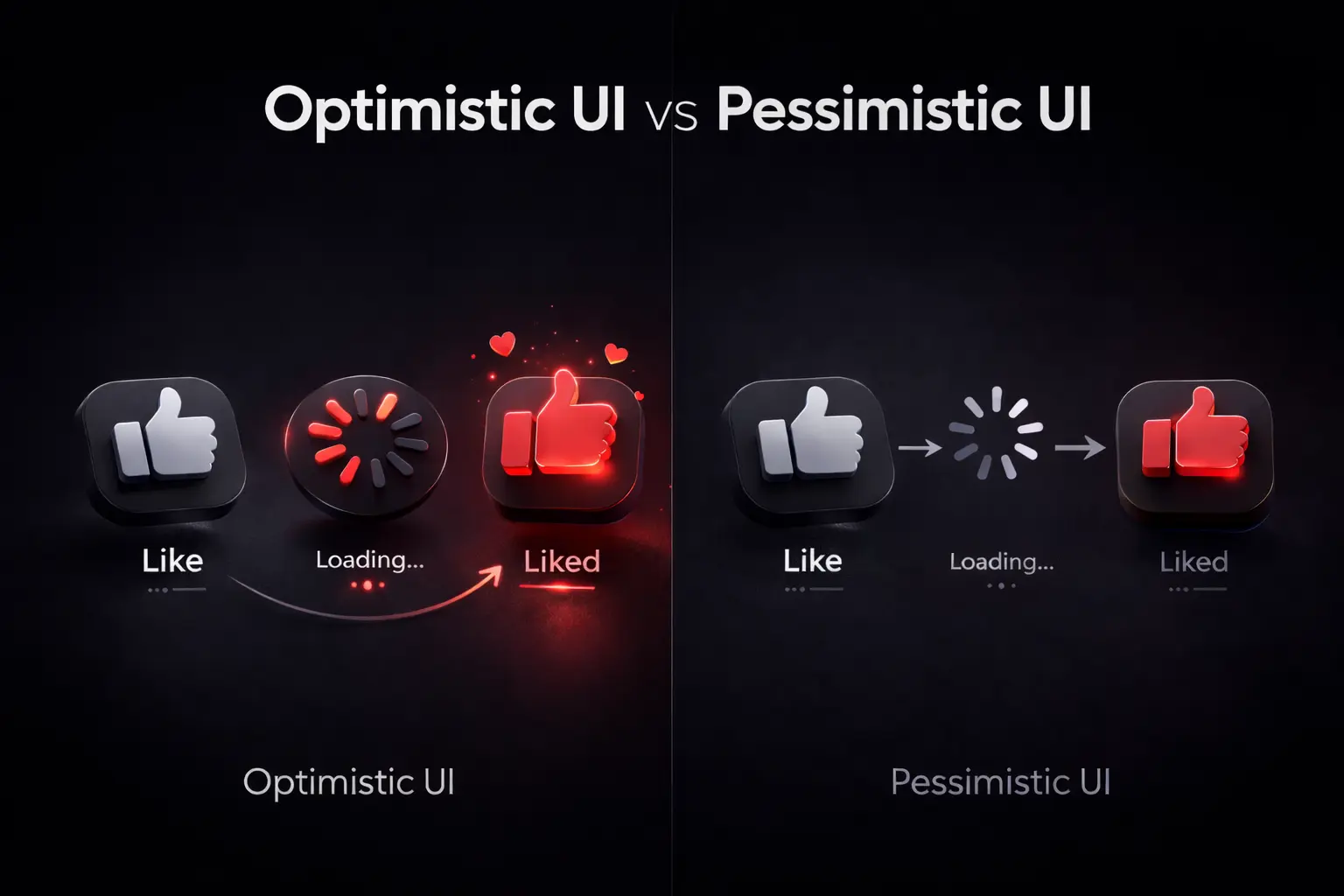
The Psychology of Speed: Optimistic vs. Pessimistic UI
In the world of modern web development, creating a smooth and responsive user experience is crucial. No one likes waiting for a page to reload or for feedback after an action, especially when interacting with modern web applications. Speed is no longer just about how fast your server responds; it’s about how fast your user feels the application is. This is where the concepts of Optimistic and Pessimistic UI come into play.
A Real-World Analogy: The Instant Message vs. The Bank Transfer
To understand the difference, let’s look at two everyday scenarios:
Optimistic UI (The WhatsApp Way): Imagine you are sending a message on WhatsApp. The moment you hit 'Send', the message bubble appears in your chat history immediately with a single gray checkmark. You don't wait for the server to confirm receipt before you can see your own text. You assume the message will be delivered. If the internet cuts out, only then does a small 'fail' icon appear and the state is reverted.
Pessimistic UI (The Bank Way): Imagine a traditional bank transfer. You click 'Send Money', a loading spinner appears, and you are blocked from doing anything else. You must wait for the bank's server to confirm the transaction is valid, the funds exist, and the recipient is correct before you see any change in your balance. In this case, accuracy is more important than the feeling of speed.
What is Pessimistic UI?
Pessimistic UI is the 'Safety First' approach. It follows a strict sequence: Action → Loading State → Server Confirmation → UI Update. The UI waits for the server's 'Green Light' before making any changes to the display. This is essential for sensitive data where being wrong, even for a second, is not an option.
Next.js Pessimistic Implementation Example:
In this example, we use standard React state to manage a loading spinner and wait for the Server Action to complete before updating the view.
'use client';

import { useState } from 'react';
import { updateUsername } from './actions';

export default function ProfileForm({ currentName }: { currentName: string }) {
  const [name, setName] = useState(currentName);
  const [isPending, setIsPending] = useState(false);

  async function handleSubmit(formData: FormData) {
    const newName = formData.get('name') as string;

    // 1. Start loading state (Pessimistic)
    setIsPending(true);

    try {
      // 2. Wait for server response
      const result = await updateUsername(newName);

      // 3. Only update UI if server succeeds
      setName(result.newName);
      alert('Profile updated successfully!');
    } catch (error) {
      alert('Failed to update profile.');
    } finally {
      // 4. Stop loading state
      setIsPending(false);
    }
  }

  return (
    <form action={handleSubmit} className="space-y-4">
      <input
        name="name"
        defaultValue={name}
        className="border p-2 rounded"
      />
      <button
        type="submit"
        disabled={isPending}
        className="bg-blue-500 text-white p-2 rounded disabled:bg-gray-400"
      >
        {isPending ? 'Saving to Server...' : 'Save Changes'}
      </button>
      <p>Current Display Name: {name}</p>
    </form>
  );
}
What is Optimistic UI?
Optimistic UI is a pattern where the UI updates instantly in anticipation of a successful server response. Instead of showing a loading spinner, the front-end assumes success and shows the result right away. If something goes wrong, the UI can roll back to the previous state. This significantly reduces 'perceived latency'.
The useOptimistic Hook in Next.js
Next.js and React introduced the useOptimistic hook to make this pattern easier to implement. It allows you to define an 'optimistic state' that is displayed while a background task (like a Server Action) is running.
Next.js Optimistic Implementation Example:
'use client';

import { useOptimistic } from 'react';
import { addCommentAction } from './actions';

type Comment = { id: number; text: string; sending?: boolean };

export default function CommentSection({ initialComments }: { initialComments: Comment[] }) {
  // 1. Define optimistic state and the update logic
  const [optimisticComments, addOptimisticComment] = useOptimistic(
    initialComments,
    (state, newCommentText: string) => [
      ...state,
      { id: Date.now(), text: newCommentText, sending: true } // Temporary state
    ]
  );

  async function handleAction(formData: FormData) {
    const text = formData.get('comment') as string;

    // 2. Update UI immediately
    addOptimisticComment(text);

    // 3. Perform the actual server operation
    try {
      await addCommentAction(text);
      // When server action finishes, the 'real' data will replace this state
    } catch (e) {
      console.error("Rolling back due to error");
    }
  }

  return (
    <div className="max-w-md mx-auto">
      <form action={handleAction} className="flex gap-2 mb-4">
        <input name="comment" placeholder="Write a comment..." className="flex-1 border p-2" />
        <button type="submit" className="bg-green-500 text-white p-2">Post</button>
      </form>

      <ul className="space-y-2">
        {optimisticComments.map((comment) => (
          <li
            key={comment.id}
            className={`p-2 rounded ${comment.sending ? 'bg-gray-100 opacity-60' : 'bg-white shadow'}`}
          >
            {comment.text} {comment.sending && <span className="text-xs">(Sending...)</span>}
          </li>
        ))}
      </ul>
    </div>
  );
}
Comparison: Which One Should You Use?
Use Optimistic UI for: High-frequency, low-stakes interactions. Examples: Liking a post, adding a comment, reacting with an emoji, or checking off a to-do item. It makes the app feel snappy and alive.
Use Pessimistic UI for: High-stakes, critical operations. Examples: Deleting an account, processing a payment, changing security settings, or any action where a rollback would be highly confusing or dangerous for the user.
Advantages and Challenges
Advantages: Enhanced user satisfaction, reduced perceived latency, and a much smoother flow. Users stay engaged because the app responds to them instantly.
Challenges: Increased state management complexity. You must handle rollbacks gracefully and ensure that the 'temporary' UI state looks consistent with the 'final' server state to avoid flickering.
Conclusion
Optimistic UI, combined with server actions in Next.js, allows us to create highly responsive web applications. By assuming success and providing immediate feedback, we significantly improve performance. For developers, tools like useOptimistic simplify the logic required to sync the front-end and back-end without sacrificing the user experience.

Comments
No comments yet be the first to say something.
Leave a comment too